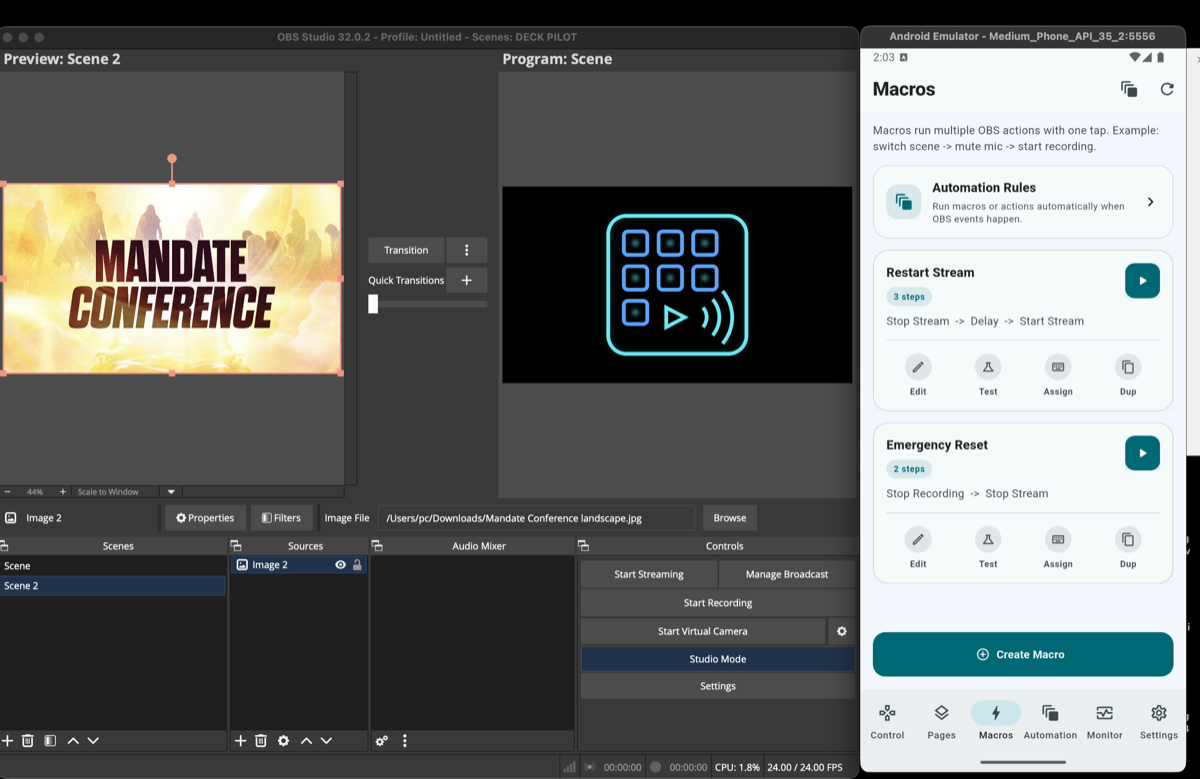
Macro controls
Give operators a fast OBS controller for repeated actions without stacking multiple manual taps during a live production.
Beta mobile OBS controller for scene switching, audio control, macros, and stream health monitoring.
DeckPilot is currently in beta for creators, church livestream teams, and production operators who want to control OBS Studio from a phone or tablet. It works as an OBS remote control app, an OBS tablet controller, and a Stream Deck alternative for OBS while the experience continues to improve.
OBS mobile controller
OBS scene control
Stream Deck alternative
OBS macro automation
DeckPilot beta is designed for fast livestream actions as an OBS controller, OBS remote control app, and Stream Deck alternative for teams that need responsive control while the product continues to improve.
Give operators a fast OBS controller for repeated actions without stacking multiple manual taps during a live production.
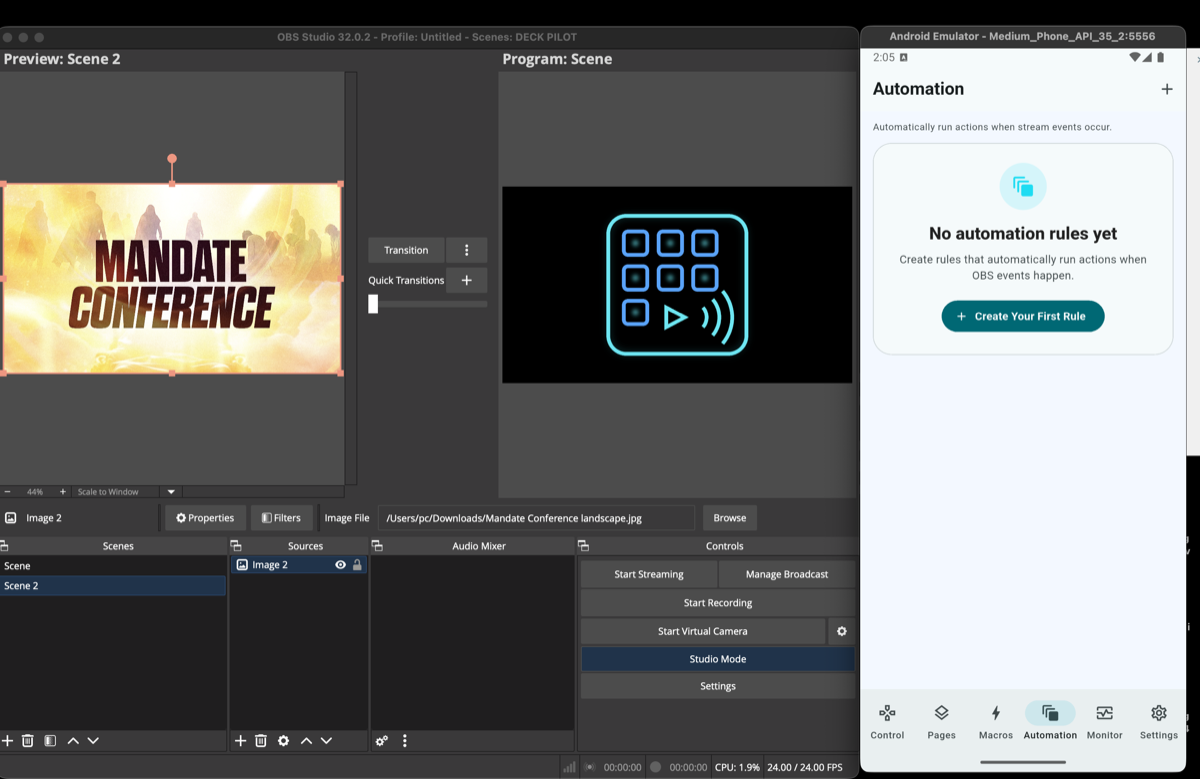
Package common OBS scene control and stream action sequences into reusable automations that reduce mistakes under pressure.
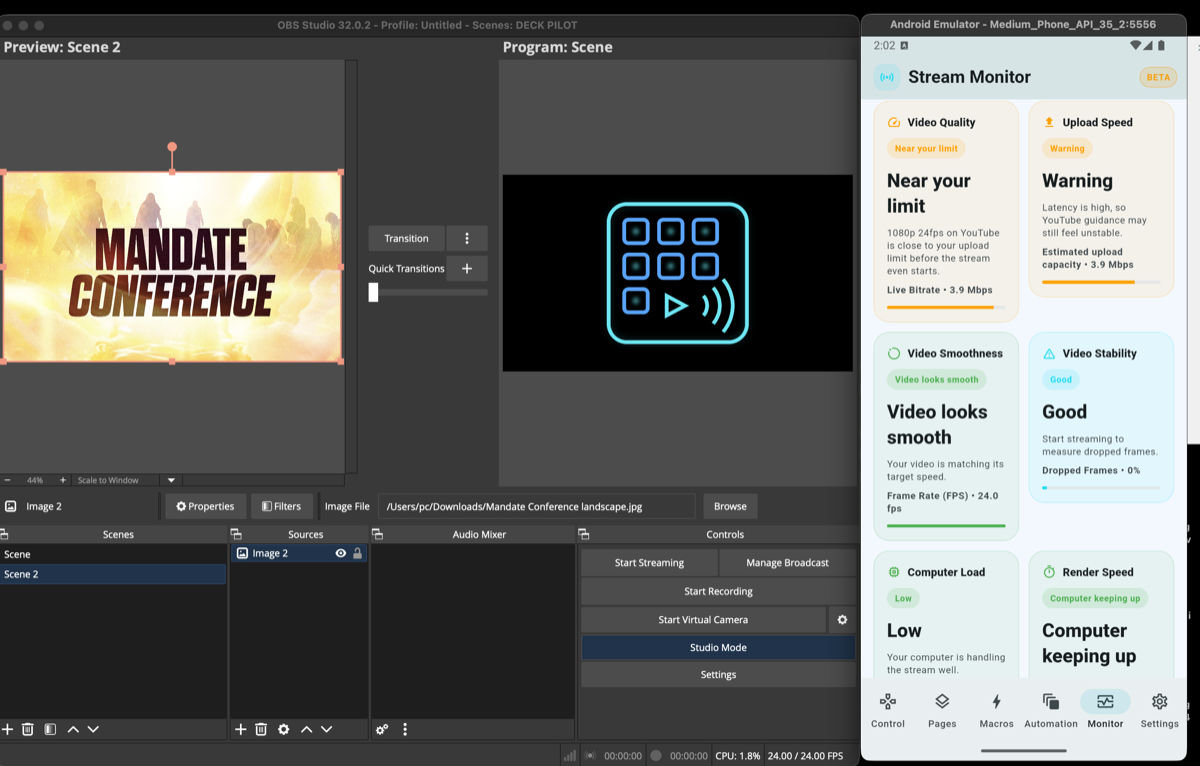
Keep an OBS mobile controller view on stream health so teams can see bitrate, dropped frames, and CPU pressure at a glance.
Instantly switch between OBS scenes with a single tap. Large touch buttons make it easy to control transitions during a live stream.
Mute and unmute microphones, adjust audio sources, and manage the OBS mixer directly from your device.
Trigger multiple OBS actions with a single button. Example: switch to intro scene → wait 3 seconds → start stream → unmute microphone.
Start streaming, stop streaming, start recording, mute microphone, and enable studio mode without leaving the controller interface.
Monitor dropped frames, bitrate stability, CPU usage, stream status, and recording status. DeckPilot warns you if something goes wrong while you're live.
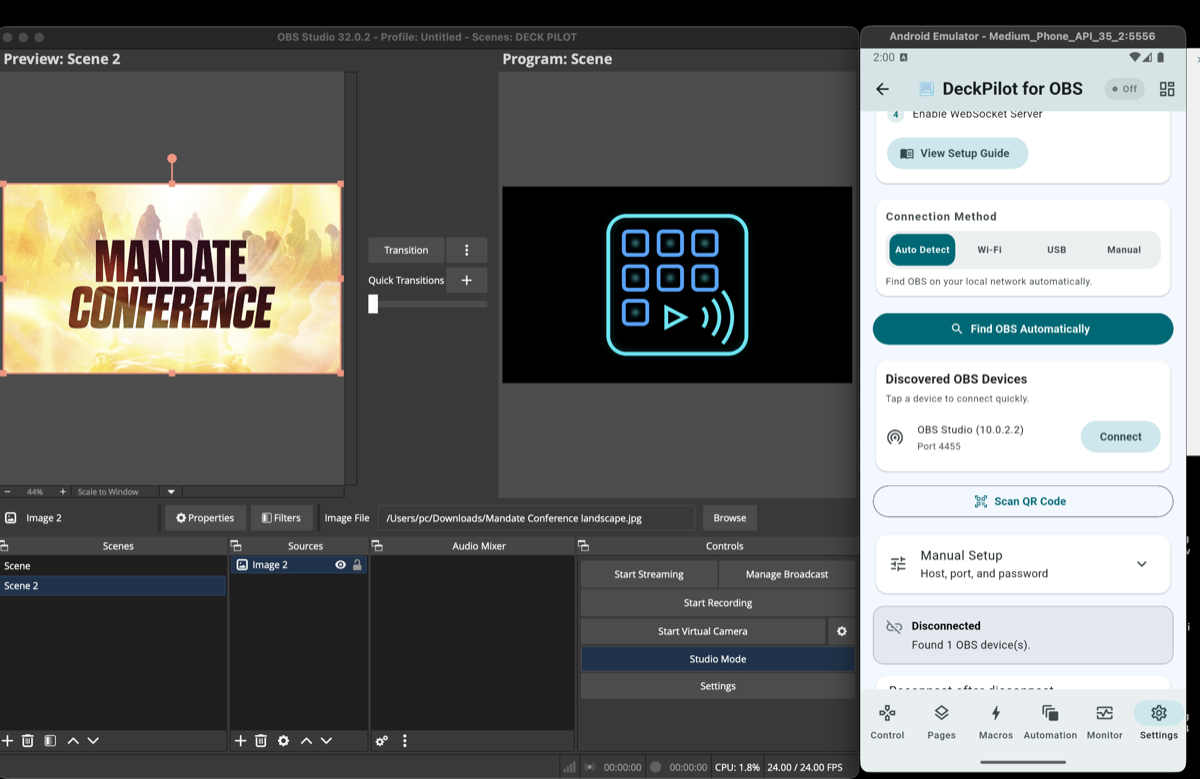
DeckPilot connects directly to OBS using OBS WebSocket. No cloud relay, no accounts required, no external servers involved. All communication stays on your local network.
Use multiple devices simultaneously. Example: phone for scene switching, tablet for monitoring, another device for macros.
Setup is intentionally short. DeckPilot beta connects through the built-in OBS WebSocket server, so most operators can move from install to live control in a few minutes even as the product continues to evolve.
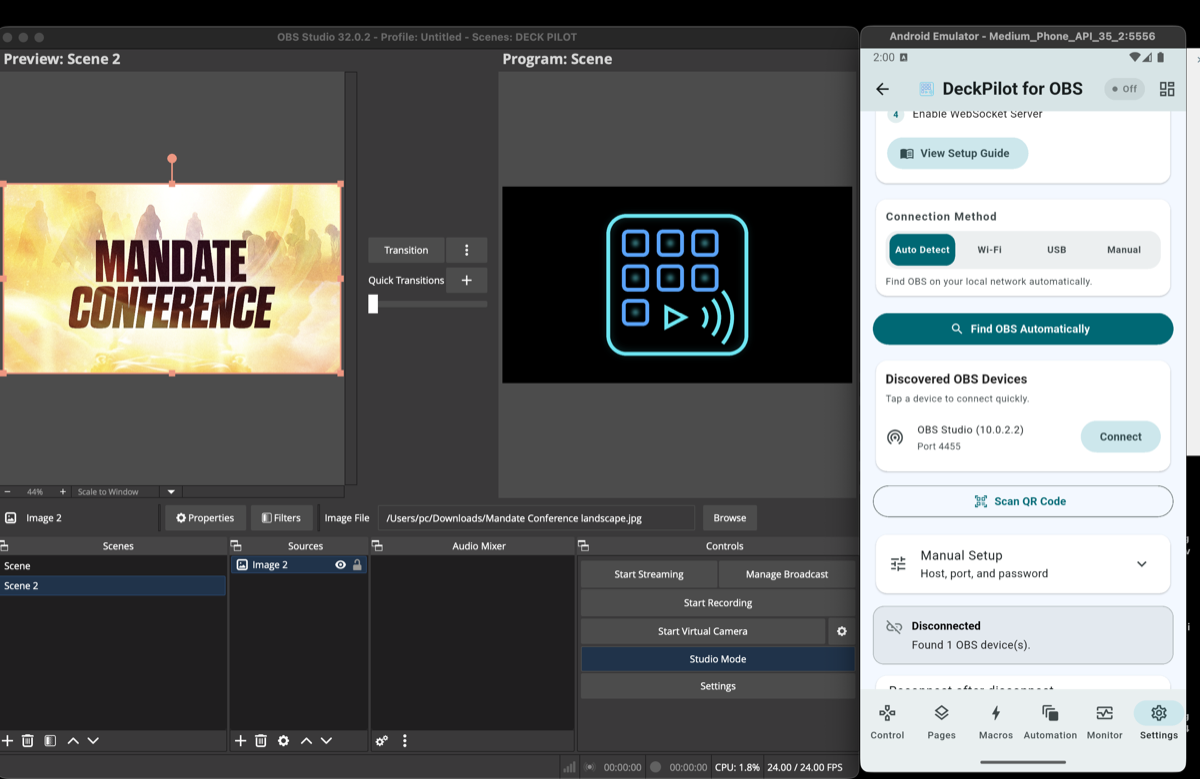
Download DeckPilot from the Google Play Store.
Open OBS → Tools → WebSocket Server Settings → Enable WebSocket Server.
Enter your OBS computer's IP address and WebSocket port, or scan the QR code shown in the OBS connection panel to connect instantly.
Your scenes and controls will appear instantly in the app. Start switching.
Local-first
DeckPilot beta is optimized for the same local network as the OBS machine, which is the safest and most reliable setup for live production.
No plugin required
Modern OBS Studio releases include the WebSocket server needed for DeckPilot, so setup stays simple for volunteers and operators.
DeckPilot works as a practical OBS mobile controller in real streaming environments where operators need scene changes, audio control, and quick stream actions without returning to the main OBS computer.
This setup reinforces the core product keywords users search for: OBS controller, OBS mobile controller, stream deck alternative, and OBS scene control from a phone or tablet.
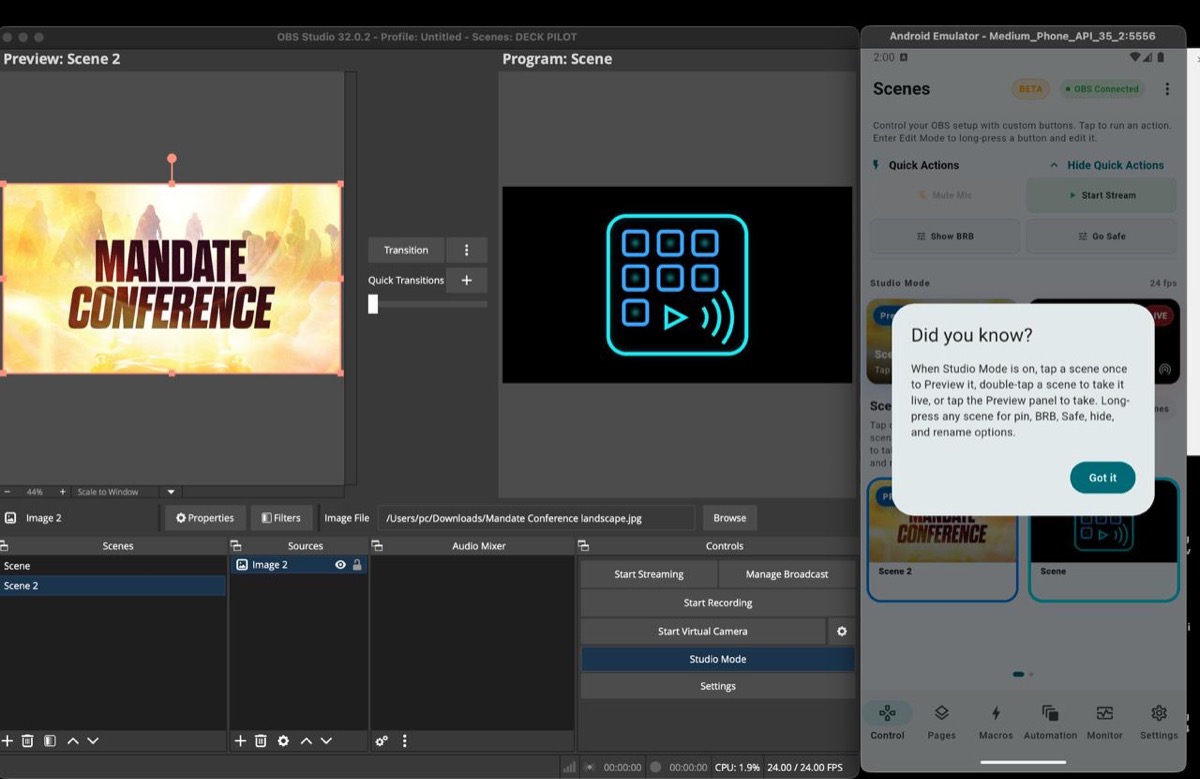
Common questions about the DeckPilot beta, including subscriptions, OBS compatibility, remote control, audio, and live broadcast safety.
No. DeckPilot does not require a subscription to operate.
The app connects directly to OBS using the OBS WebSocket protocol, so it can run entirely on your local network without a cloud account or relay service.
Future versions may introduce optional premium features, but the core OBS control experience is designed to work without a recurring subscription.
No additional plugin is required. DeckPilot works with the built-in OBS WebSocket server included in modern versions of OBS Studio.
Once WebSocket is enabled, DeckPilot can control scenes, audio sources, macros, and stream actions directly from your phone or tablet.
DeckPilot is designed primarily for local network connections.
For live production, a direct local connection is the most reliable setup because it avoids extra latency, relay failures, and unnecessary security exposure.
Advanced users can configure secure remote access with VPN or network routing, but the recommended setup is on the same network as the OBS machine.
DeckPilot supports OBS Studio 28 and newer.
Those versions include the integrated OBS WebSocket server required for secure remote control. Older OBS versions that depend on external WebSocket plugins may not be supported.
DeckPilot currently supports Android phones and tablets.
Planned support includes iPhones, iPads, and additional tablet layouts for larger screens. The current release is optimized for touch-based control on both phones and tablets.
Yes. DeckPilot gives OBS operators many of the same practical controls as a hardware Stream Deck, including scene switching, macro automation, audio control, and stream start or stop actions.
The difference is that DeckPilot runs on a phone or tablet, so you get a touch-based control surface without buying dedicated hardware.
Yes. DeckPilot lets operators switch OBS scenes instantly from a mobile device on the same network as the OBS computer.
That is useful for livestream creators, church production teams, and event operators who need fast scene changes without walking back to the streaming machine.
Yes. DeckPilot can mute or unmute microphones, manage audio sources, and give operators quick access to OBS audio controls from the mobile interface.
That makes it useful as a remote OBS audio mixer for teams that need quick adjustments during live broadcasts without opening the full OBS mixer.
Yes. DeckPilot connects directly to OBS using the OBS WebSocket protocol and does not route control commands through external servers.
Control traffic stays on the local network, which improves reliability and reduces the risk of connection interruptions during a live broadcast.
DeckPilot beta is built for creators who want a reliable mobile controller for OBS Studio and are comfortable using an actively improving product. It works as an OBS scene controller, OBS remote control app, OBS audio mixer remote, OBS macro controller, and Stream Deck alternative for OBS.
Teams commonly use DeckPilot for church livestream OBS control, YouTube livestream production, Twitch streaming, podcast studios, and small event setups that need a portable touch-based control surface.
Explore how DeckPilot works as an OBS mobile controller for phones and tablets.
Open pageSee how to use a phone as an OBS remote for scene switching, macros, and quick actions.
Open pageFocus on fast scene changes and touch-based switching during livestreams.
Open pageRead the educational guide on local networking, OBS WebSocket, and remote control workflows.
Open pageTry the DeckPilot beta on your phone or tablet.
Join the DeckPilot beta to get scene switching, audio control, macros, and stream monitoring in a workflow built for live production and improving with every release.