Windows
- Windows 10 and 11
- 64-bit systems
- Intel and AMD processors
This installer is currently unavailable. Please try again later.
Plugin manager for OBS Studio on macOS and Windows.
A streamlined installer and management tool for OBS plugins, scripts, and production utilities. OBS Plugin Installer helps operators discover, install, update, and manage tools for OBS without manually navigating folders, downloads, or configuration steps.
Built for stream operators, churches, and production teams that rely on OBS during live broadcasts, the installer reduces setup friction and makes production environments easier to maintain.
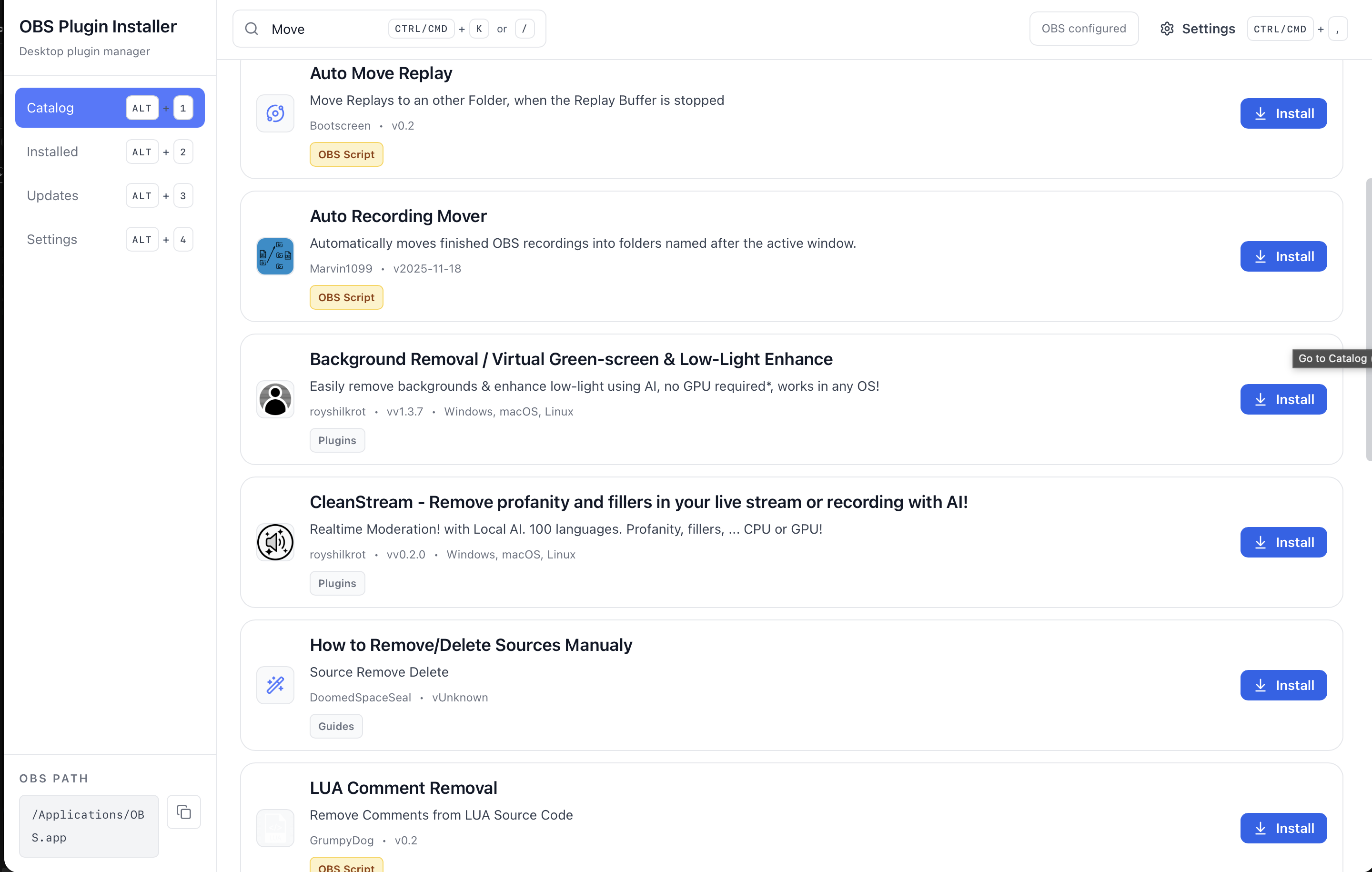
Plugin discovery
One-click installation
Compatibility checks
System diagnostics
This product page now includes the full installer menu so teams can choose platform builds without leaving the page. Every download is pulled from the latest GitHub release, with a fallback to the release page if dynamic lookup fails.
This installer is currently unavailable. Please try again later.
This installer is currently unavailable. Please try again later.
This installer is currently unavailable. Please try again later.
Prefer the all-in-one flow: download the correct build, install, confirm OBS detection, then manage plugins from a single place.
Step 1
Use the download menu to pick Windows, macOS, or Linux packages directly from the latest release.
Step 2
Launch the installer/package for your operating system and complete the standard setup flow.
Step 3
On first launch, OBS Plugin Installer scans default OBS paths and allows manual path selection when needed.
Step 4
Browse plugins, review compatibility hints, then install and keep versions updated from one dashboard.
Validate these requirements before installation to reduce setup issues and keep plugin management stable in production.
OBS Studio
OBS Studio 30.0+ is recommended for plugin compatibility checks and managed installs.
Operating system
Windows 10+, macOS 12+, or a modern Linux distribution with desktop package support.
Network
Internet connection is required to fetch plugin metadata, releases, and update information.
Most install issues are resolved by checking OBS paths, allowing first-run security prompts, or retrying from release fallback links.
Confirm OBS is installed, then set the OBS path manually inside Installer settings for portable or custom setups.
Operating-system security prompts can appear for fresh releases. Allow the app from system security settings, then relaunch.
If a dynamic download link fails temporarily, use the GitHub Releases fallback from the same download card.
OBS Plugin Installer is a desktop application that helps users discover, install, update, and manage plugins for OBS Studio from one place.
Instead of manually downloading files, unzipping folders, and troubleshooting paths, teams can work from a clearer setup and maintenance flow.
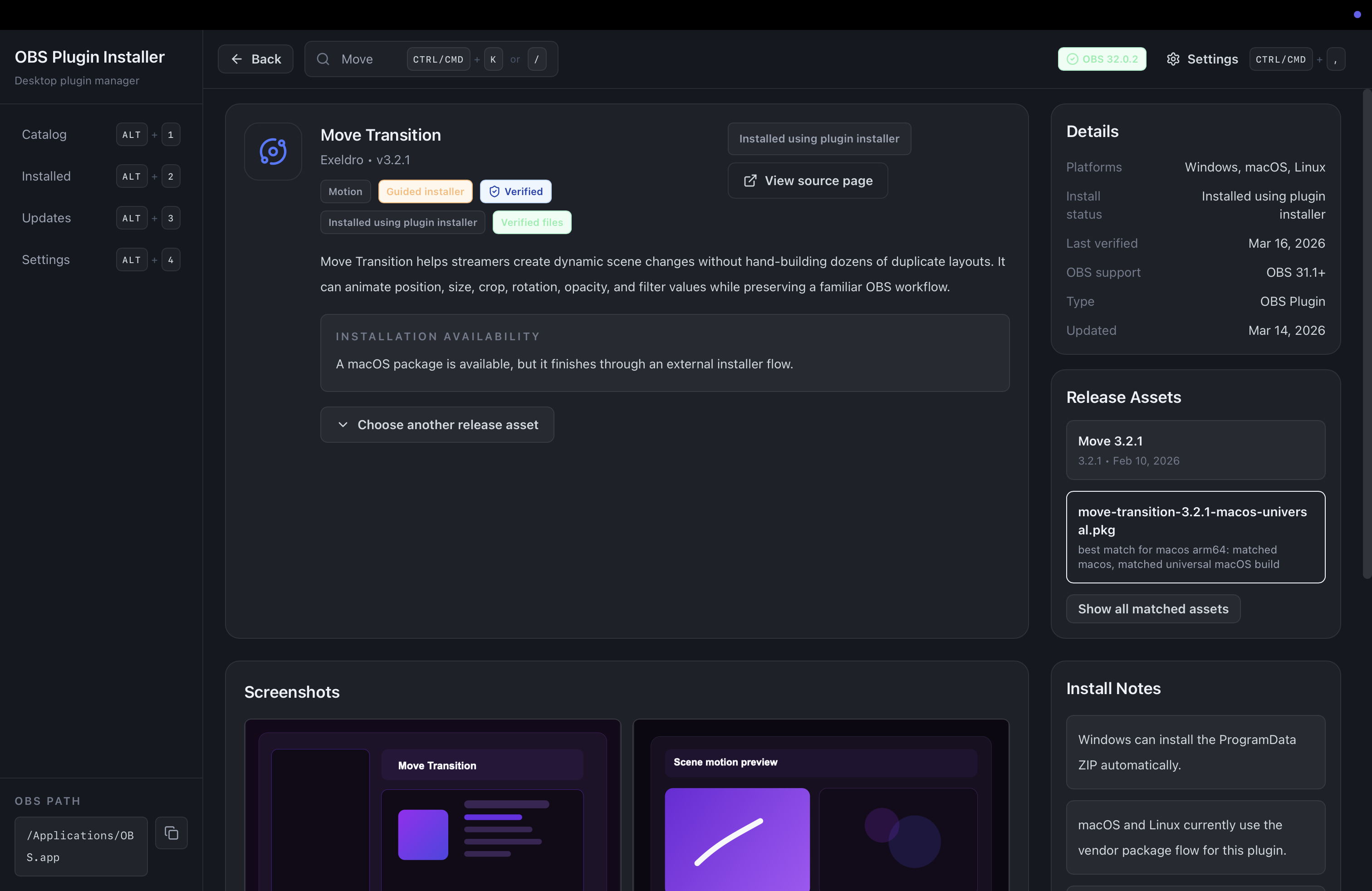
Review plugin details, matched assets, and install notes before making changes to the OBS environment.
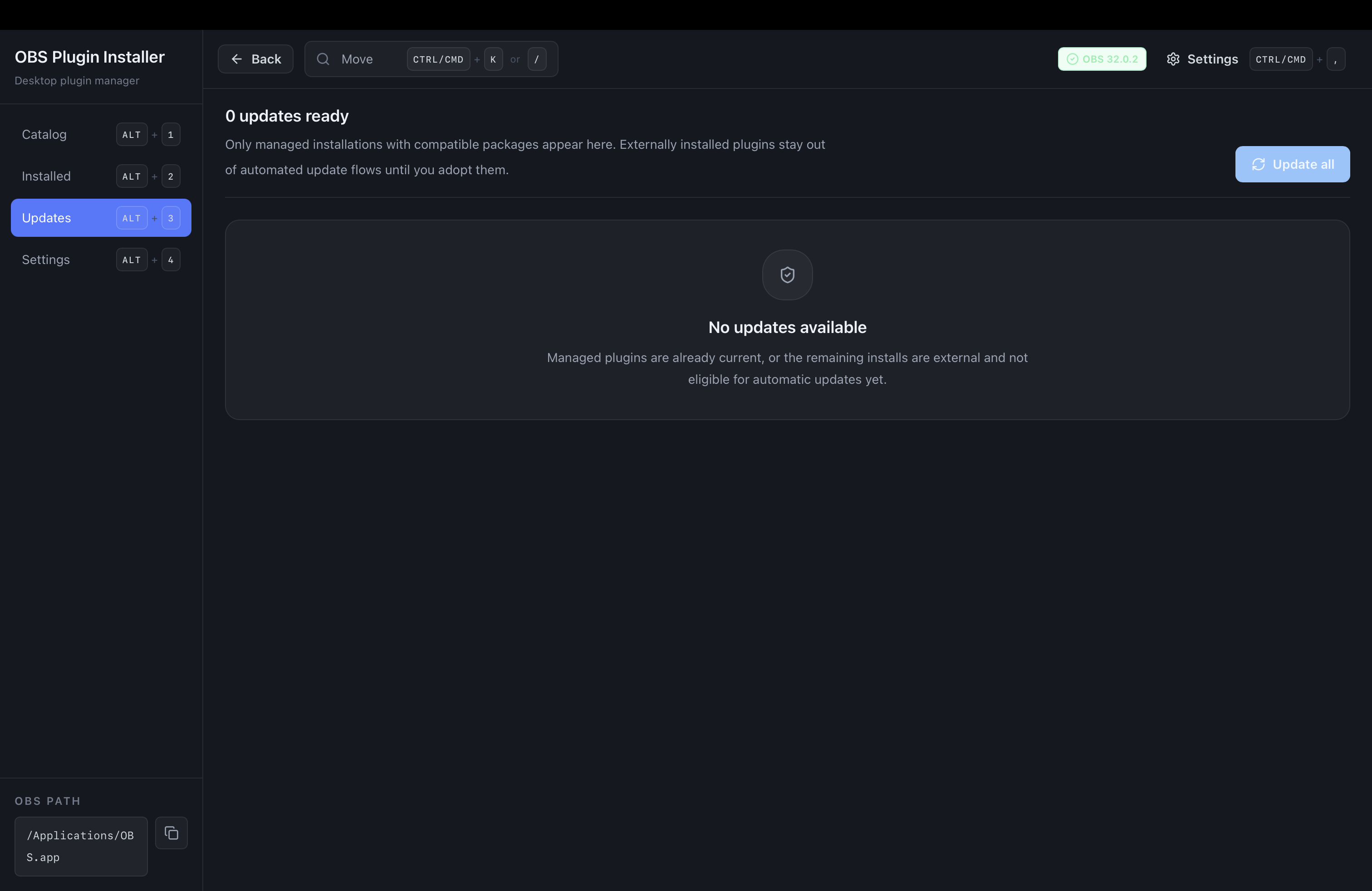
Track update readiness in one place instead of manually checking plugin versions across multiple sources.
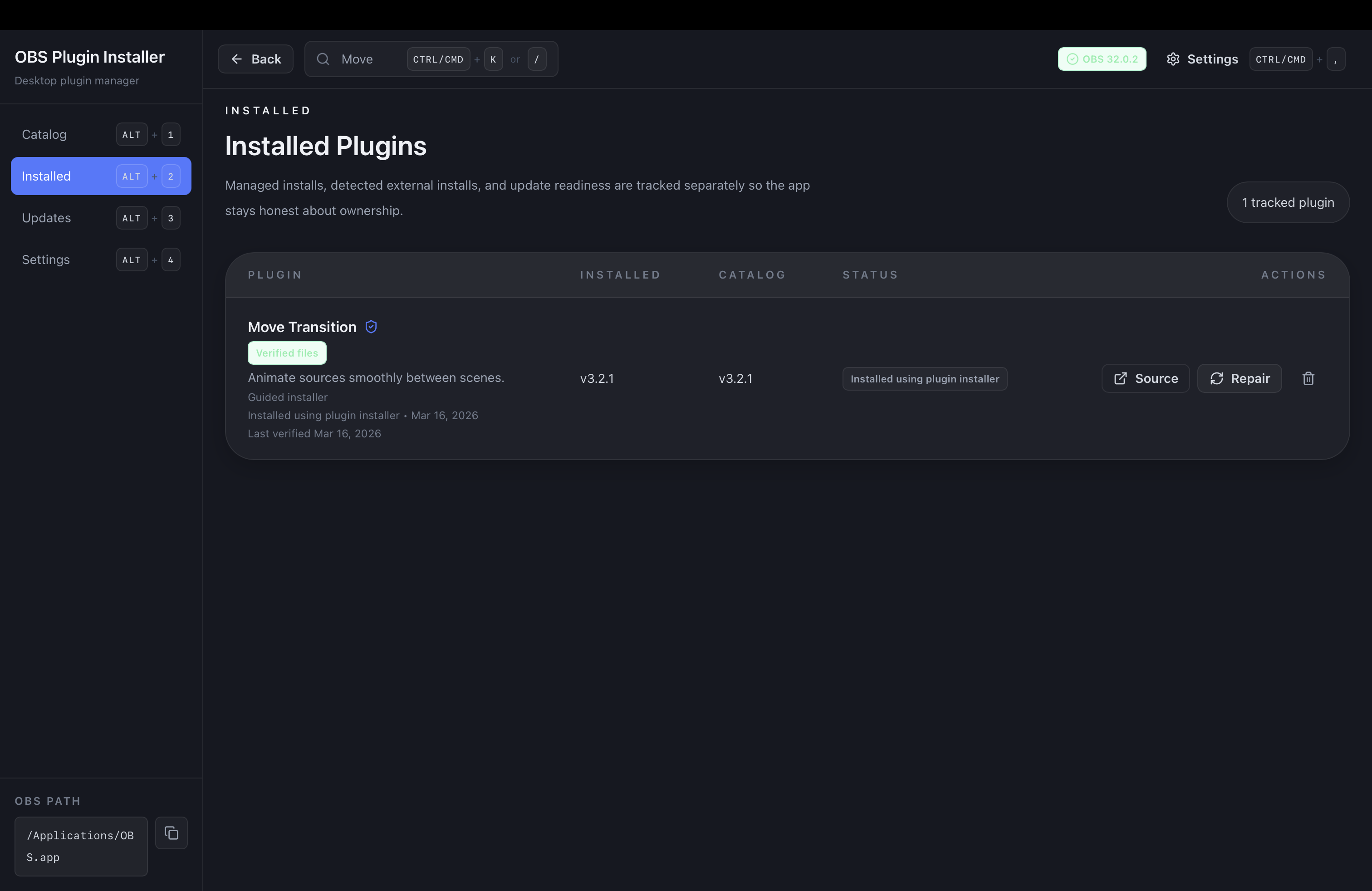
See what is already installed, compare versions, and keep managed plugins easier to maintain over time.
Browse curated OBS plugins, scripts, tools, and workflow utilities in one catalog.
Download and install compatible plugins directly into OBS without manual file placement.
Detect installed plugins and notify operators when updates are available.
Check plugin support against the installed OBS version to help prevent broken setups.
Scan the OBS environment for missing dependencies, broken plugin files, incorrect folders, and other issues that need attention.
For tools that still require manual steps, the installer provides clear instructions and file paths.
The app checks the OBS environment and surfaces the details users usually have to find manually, including the installed OBS version, plugin folders, installed plugins, and version compatibility.
When a user installs a plugin from the catalog, OBS Plugin Installer downloads the correct files, places them in the correct directories, and provides guided instructions when a tool still needs extra setup.
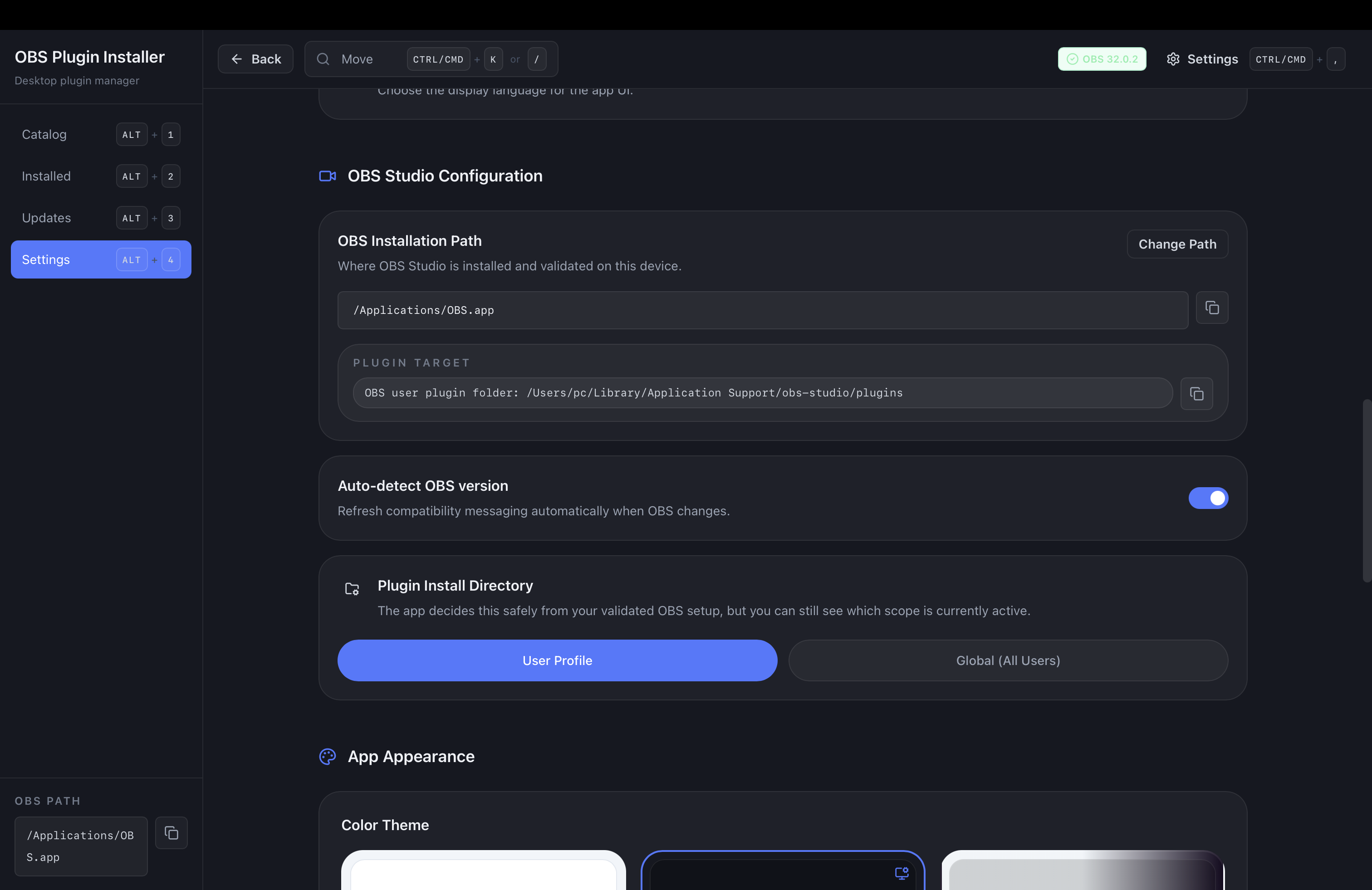
Review curated plugins, scripts, and utilities in one place instead of searching across separate sites and downloads.
Check the installed OBS version and choose the plugins or utilities that fit the current setup.
Apply supported tools directly into OBS without manually placing files in plugin folders.
For tools that still need manual configuration, use the installer guidance to complete the setup cleanly.
OBS version detection
Compatibility checks help users avoid installing plugin builds that do not match the current OBS version.
Guided maintenance
Installed plugins, update readiness, and common setup issues stay visible in one place instead of across folders and browser tabs.
OBS Plugin Installer is designed for people who rely on OBS for real work and need a calmer way to keep plugin setups clean and reliable.
Many OBS users eventually install plugins for transitions, recording controls, automation, monitoring, and other workflow needs. Over time, manual installation creates avoidable maintenance problems.
Use case
OBS plugin management
Use case
OBS production system setup
Use case
Plugin updates and compatibility checks
Use case
Centralized OBS tool discovery
Common questions about installing OBS plugins, managing updates, checking compatibility, and maintaining stable production systems.
OBS Plugin Installer is a desktop application that helps users discover, install, update, and manage plugins for OBS Studio.
It acts as a plugin manager for OBS so users can work from one place instead of searching websites, downloading files manually, and copying folders into the OBS installation.
Yes. The app is designed to download the correct package and place files in the correct OBS directories when a managed installation is available.
Some tools still require manual steps, but the app provides clear instructions and file paths when that happens.
Yes. OBS Plugin Installer can detect installed plugins and track when managed tools have updates available.
This helps users keep OBS systems organized and reduces the chance of running outdated plugin builds.
Yes. The app compares plugin packages against the installed OBS version and surfaces compatibility details before installation.
That helps prevent broken setups caused by installing the wrong version of a plugin or using a build that does not match the current OBS release.
Yes. OBS Plugin Installer is designed to scan the OBS environment and surface common issues such as missing dependencies, broken files, incorrect plugin folders, and incompatible builds.
This makes it easier to understand why a plugin is not working and what needs attention before the next livestream.
The app is built for people who rely on OBS for real work, including livestream operators, YouTube and Twitch creators, church media teams, event production teams, educators, and online presenters.
It is especially useful when plugin maintenance needs to stay simple and safe during live production.
OBS Plugin Installer currently supports desktop systems running OBS Studio on macOS and Windows.
Future versions may expand support based on user demand and platform requirements.
OBS Plugin Installer focuses on plugin management and system setup. It helps users discover tools, install them more safely, monitor updates, and keep OBS environments easier to maintain.
In the broader product line, DeckPilot handles live control, OBS Multiview supports monitoring, and OBS Plugin Installer focuses on plugin management and system setup.
Learn how to install OBS plugins safely, choose the right files, and avoid common OBS plugin setup mistakes.
Open guideFind the correct OBS plugin folder for your setup and avoid path mistakes that keep plugins from loading.
Open guideFollow a safe OBS plugin update workflow that checks compatibility before changing a working OBS setup.
Open guideLearn how to manage OBS plugins, track updates, and keep plugin-heavy OBS systems organized over time.
Open guideSimplify OBS plugin setup and maintenance.
Use OBS Plugin Installer to discover tools, install them more safely, and keep production systems easier to maintain over time.